Account
Smart Trade · Beta

Manual trades with the exit attached
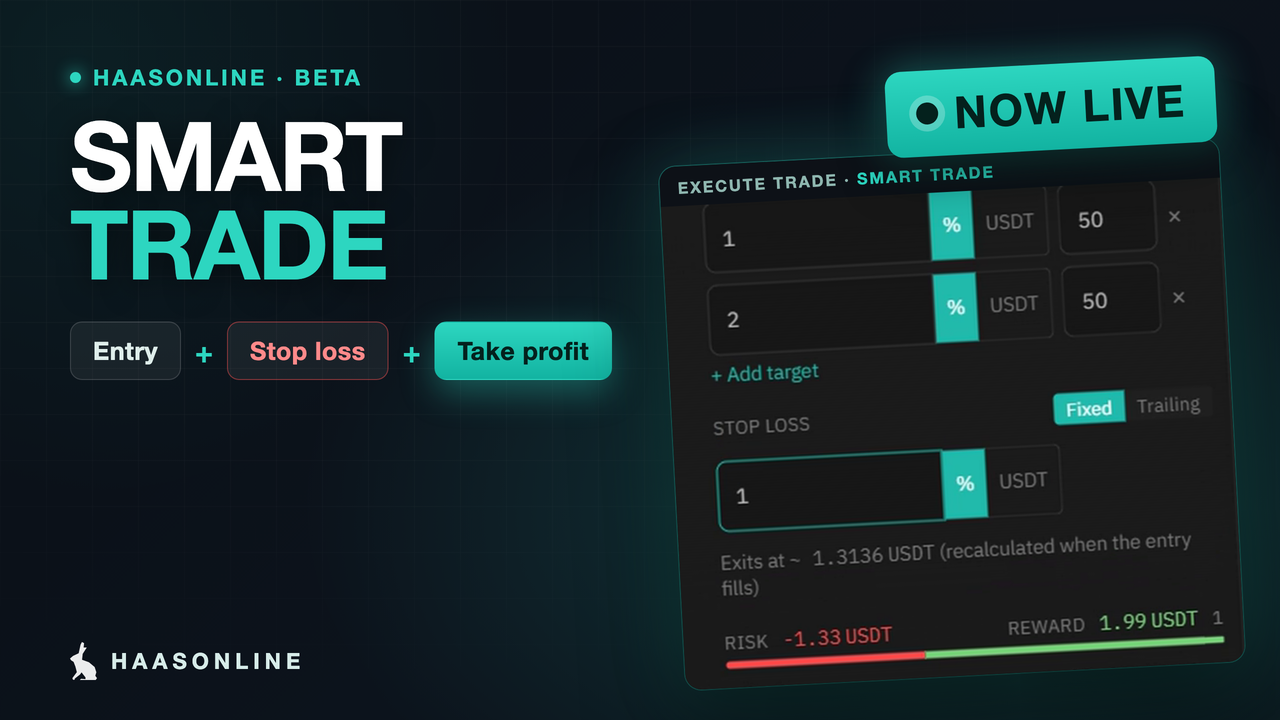
Set your entry, take profit and stop loss in one order. HaasOnline watches the price and closes the trade at your levels, on any exchange we support.
Start free 7-day trial
Smart Trade: entry, stop loss and take profit in one order, with the Execute trade panel showing two targets, a fixed stop and the risk and reward
One Order

Decide the exit before you enter

Open the Execute trade panel, pick the account, market and amount, and switch Smart Trade on. The take profit and stop loss go in with the entry, as a price or a percentage, and the panel shows the risk and reward before you confirm. The exit you planned with a clear head is the exit that runs.

Market or limit entry, spot or futures, long or short.
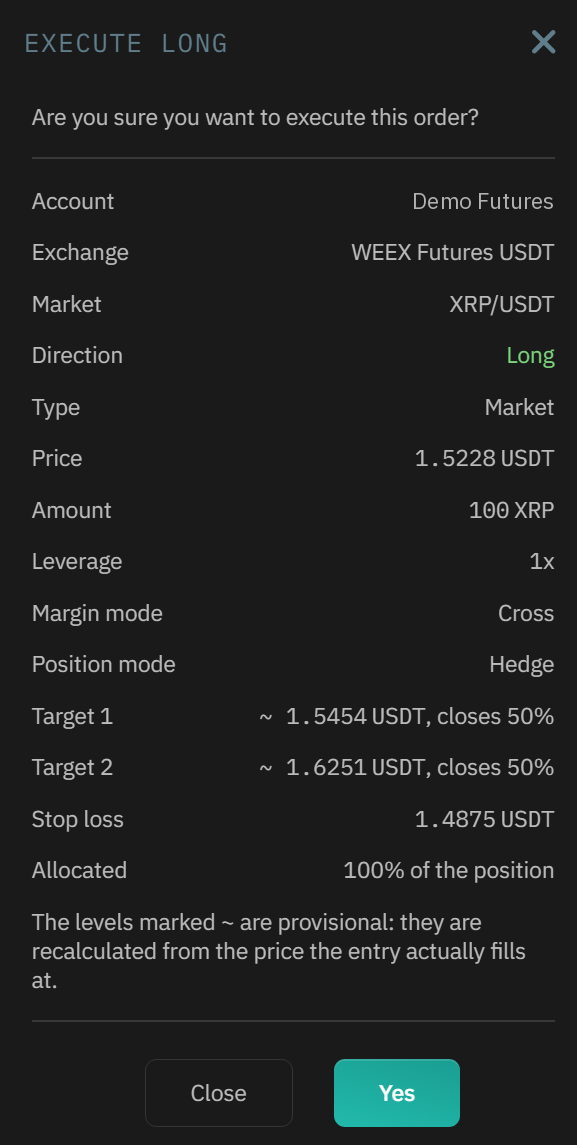
The Smart Trade confirmation window showing entry, take profit, stop loss, and risk and reward
Targets & Stops

Take profit in stages, stop fixed or trailing

Add several targets and give each a share of the position, so the first takes money off the table and the rest rides. Set the stop loss fixed, or trailing so it follows the price up and locks in gains. Move any level later from the panel or straight on the chart.
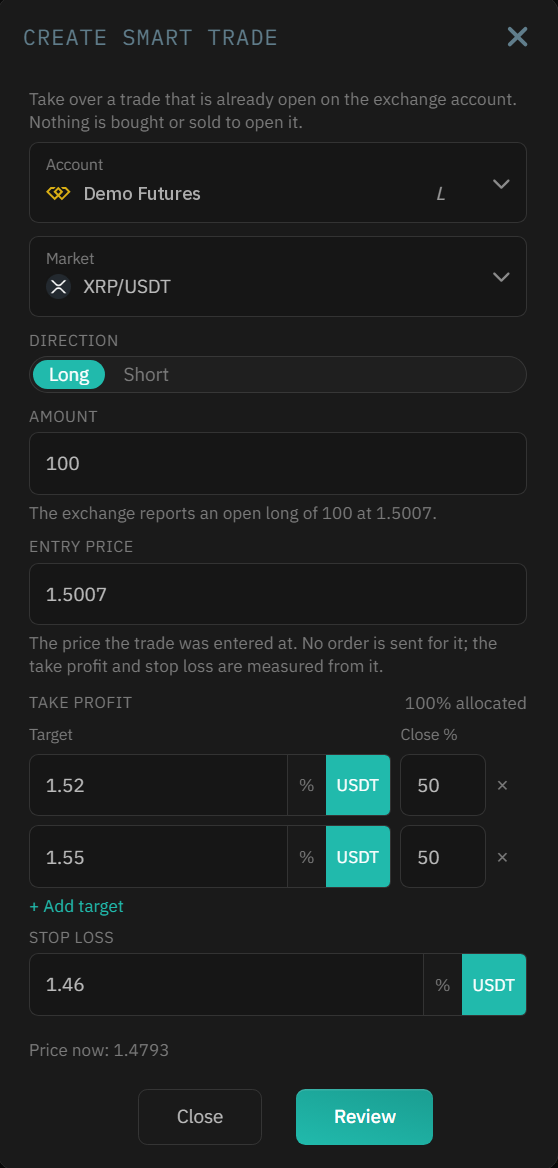
A Smart Trade with two take profit targets and a stop loss
Existing Positions

Add an exit to what you already hold

Already in a position, or holding coins you bought by hand? Add a take profit and stop loss to it from the balance row, or take over a trade a bot left open. Nothing is bought or sold until a level is hit.
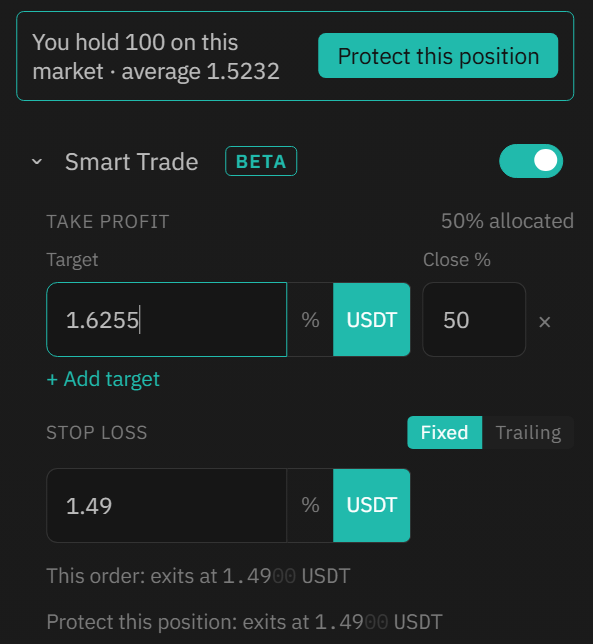
Adding a take profit and stop loss to an open position
On The Chart

Every level drawn, every fill marked

On Marketview the entry, targets and stop are lines on the chart. Drag one to move it, right-click a price to start a new Smart Trade there, and see each fill marked on the candle where it happened.
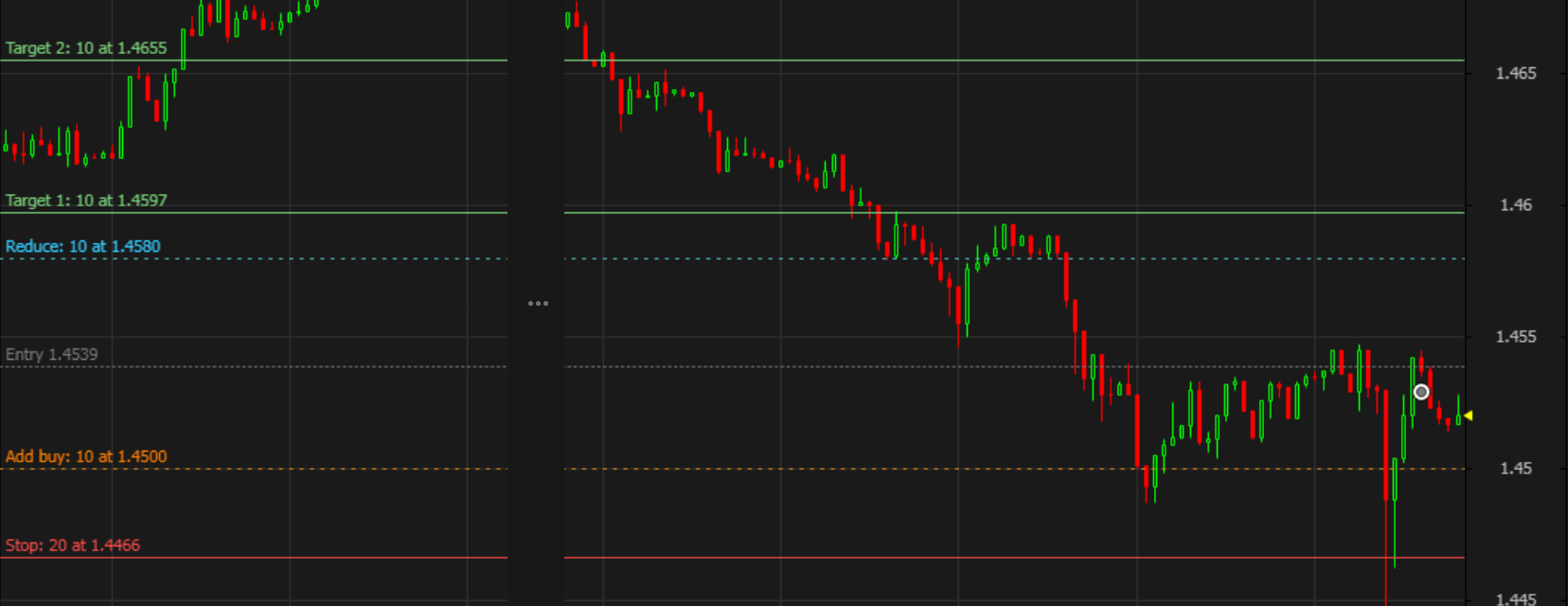
Smart Trade entry, take profit and stop loss levels drawn on the HaasOnline chart
Order Overview

Manage every open trade in one place

Order Overview lists each live Smart Trade with its PnL and a bar from the stop to the target. Edit the levels, add to the position, reduce it, or close it now. Finished trades go to Smart Trade history with the outcome and the PnL.

On spot markets, run several Smart Trades on the same market as separate lots, each with its own levels and name.
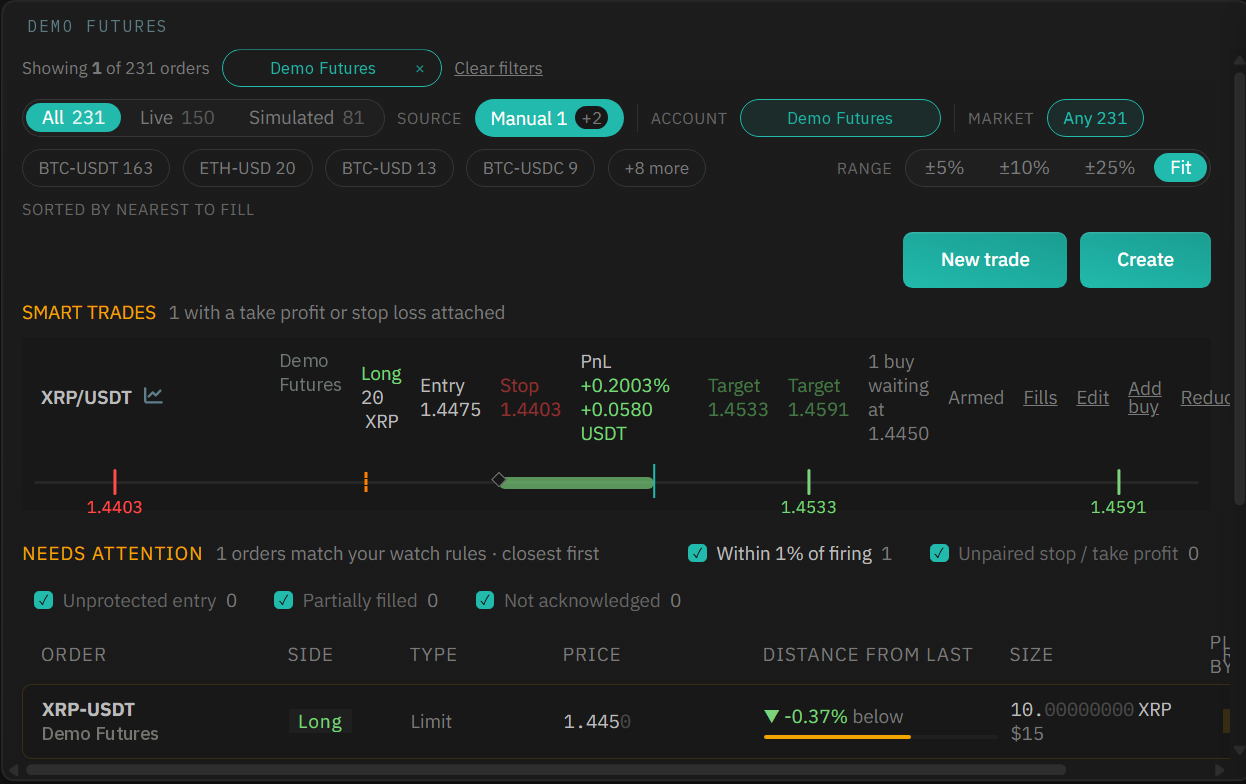
Order Overview listing a live Smart Trade with its PnL, a stop-to-target bar, and the orders that need attention

See it in three minutes

Frequently Asked Questions

  • Which plans include Smart Trade?

    Every TradeServer Cloud plan. The number of live Smart Trades depends on the plan: 10 on Starter, 25 on Standard, 250 on Pro, across all your accounts. Self-hosted TradeServer has no cap.

  • Does the stop loss rest on the exchange?

    HaasOnline watches the price and closes the trade with a market order when a level is hit, so it works the same way on every exchange we support, including ones with no native stop orders. Exits run while HaasOnline is running, and the fill can differ slightly from your level on a fast market.

  • Does it work on futures?

    Yes. Long or short, with one Smart Trade per position: one per market on a one-way account, one long and one short in hedge mode. On spot you can run several on one market as lots.

  • Can I try it without risking money?

    Yes. Smart Trade works exactly the same on a simulated account, with nothing at risk. It is in Beta, and we read every piece of feedback on Discord.

Standard Upgrade1. Completely Free2. Unrestricted Trial3.

Smart Trade is included in the free trial. Place a trade on a simulated account, watch it close at your target, and keep the discipline when you go live.

Read the Smart Trade guide for every window and setting, step by step.

Start free 7-day trial
1 TradeServer Cloud Standard offers a 7-day trial of our premium subscription.
2 During the 7-day TradeServer Cloud Standard trial you will not be required to pay to access Standard plan features. Subscription automatically renews unless auto-renewal is disabled or if you opt-out.
3 Access to premium features within TradeServer Cloud does not include third-party restrictions or unforeseen issues.