Marketview, Market Explorer, and Exchange Profiler
Marketview, Market Explorer, and Exchange Profiler
The Tools section of the sidebar contains three research tools for analyzing markets and exchanges. Each serves a different purpose, and together they help you answer key trading questions: what is happening right now, where can I trade it, and which exchange is best for my strategy.
Access all three from Tools in the sidebar navigation.
Marketview
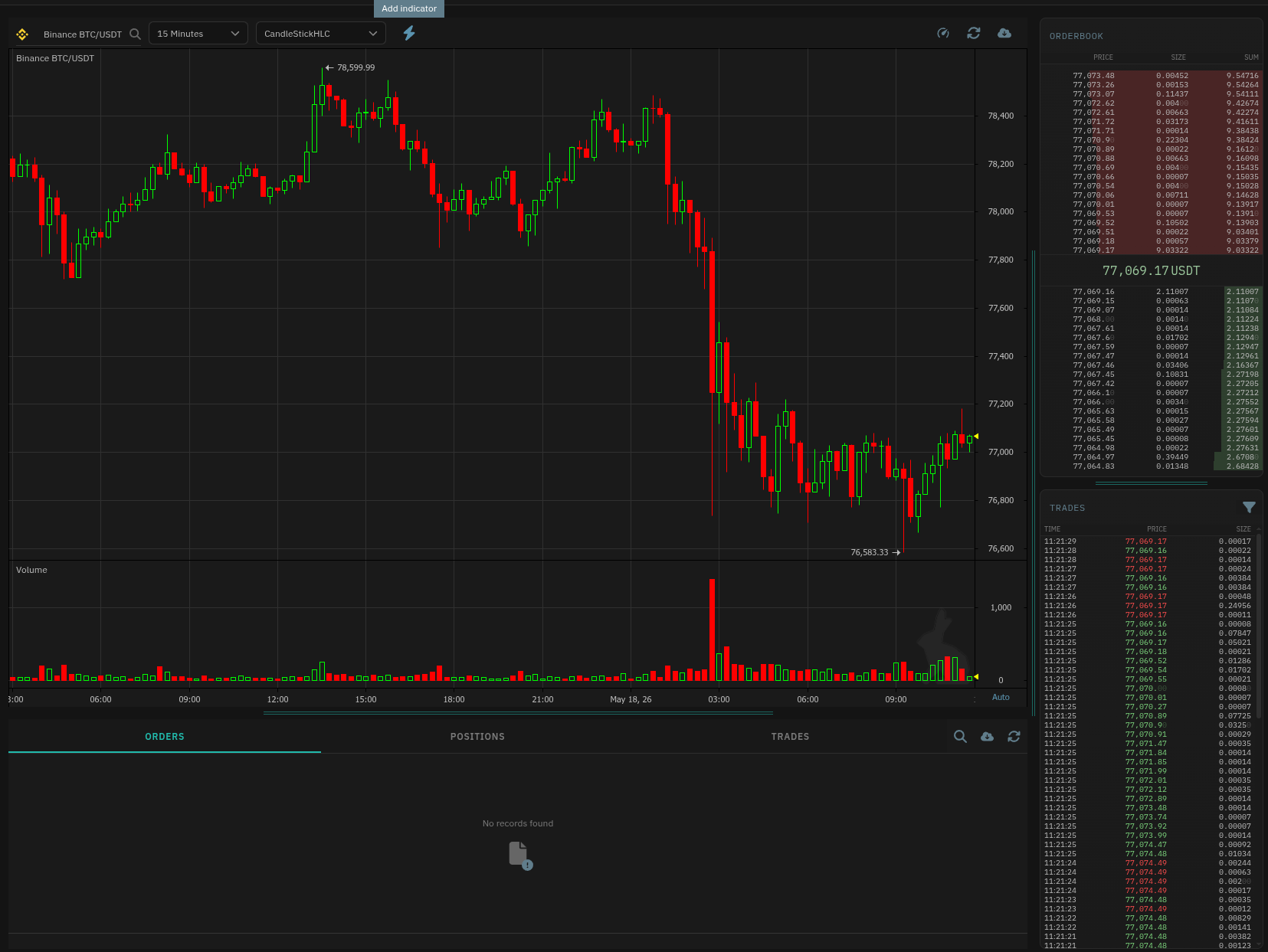 Marketview is a live chart and order book viewer for a specific market. Select an exchange and trading pair, and you get a real-time candlestick chart with configurable timeframe and chart style, plus an order book and trade feed.
The layout has three zones:
Center — Chart:
- Candlestick chart with adjustable timeframe (e.g., 15 Minutes) and chart style (e.g., CandleStickHLC)
- Volume indicator below the chart
- Add indicator button to overlay technical indicators
Right — Order Book and Trades:
- Orderbook shows current bid and ask levels with price, size, and cumulative sum. The current price is highlighted in the middle.
- Trades lists recent trades chronologically with time, price, and size.
Bottom — Data Tables:
- Tabs for Orders, Positions, and Trades tied to your account on this market (requires an active bot or account context)
Use Marketview when you want to watch a market's price action and order book depth in real time — for example, to assess liquidity before placing a manual trade or to monitor how a bot's entry price relates to current bid/ask levels.
Market Explorer
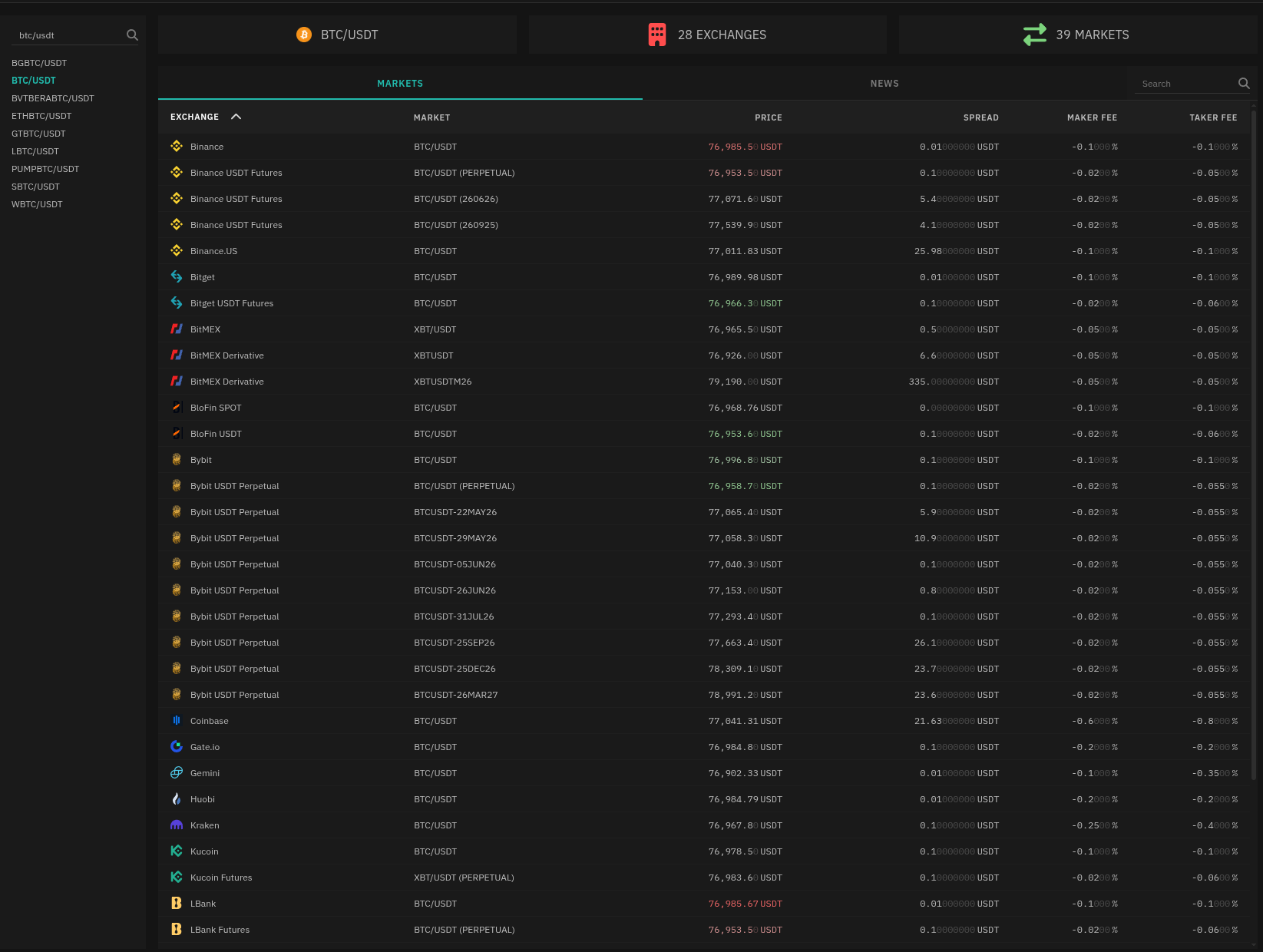 Market Explorer lets you search for a trading pair across all supported exchanges and see how it trades on each one. The tool answers one question: where is this market available, and what are the costs?
Searching for a Market
Enter a trading pair in the search bar (e.g., "BTC/USDT"). The left sidebar populates with matching results, and the main table shows every exchange that lists that market.
The table columns give you a direct comparison:
| Column | What it tells you |
|---|---|
| Exchange | The exchange name |
| Market | Exact market notation (spot vs perpetual vs futures) |
| Price | Current price on that exchange |
| Spread | Bid-ask spread |
| Maker Fee | Fee for adding liquidity |
| Taker Fee | Fee for removing liquidity |
The header displays summary stats — total exchanges found, total markets matching your search — so you can quickly gauge market coverage.
Market Intelligence
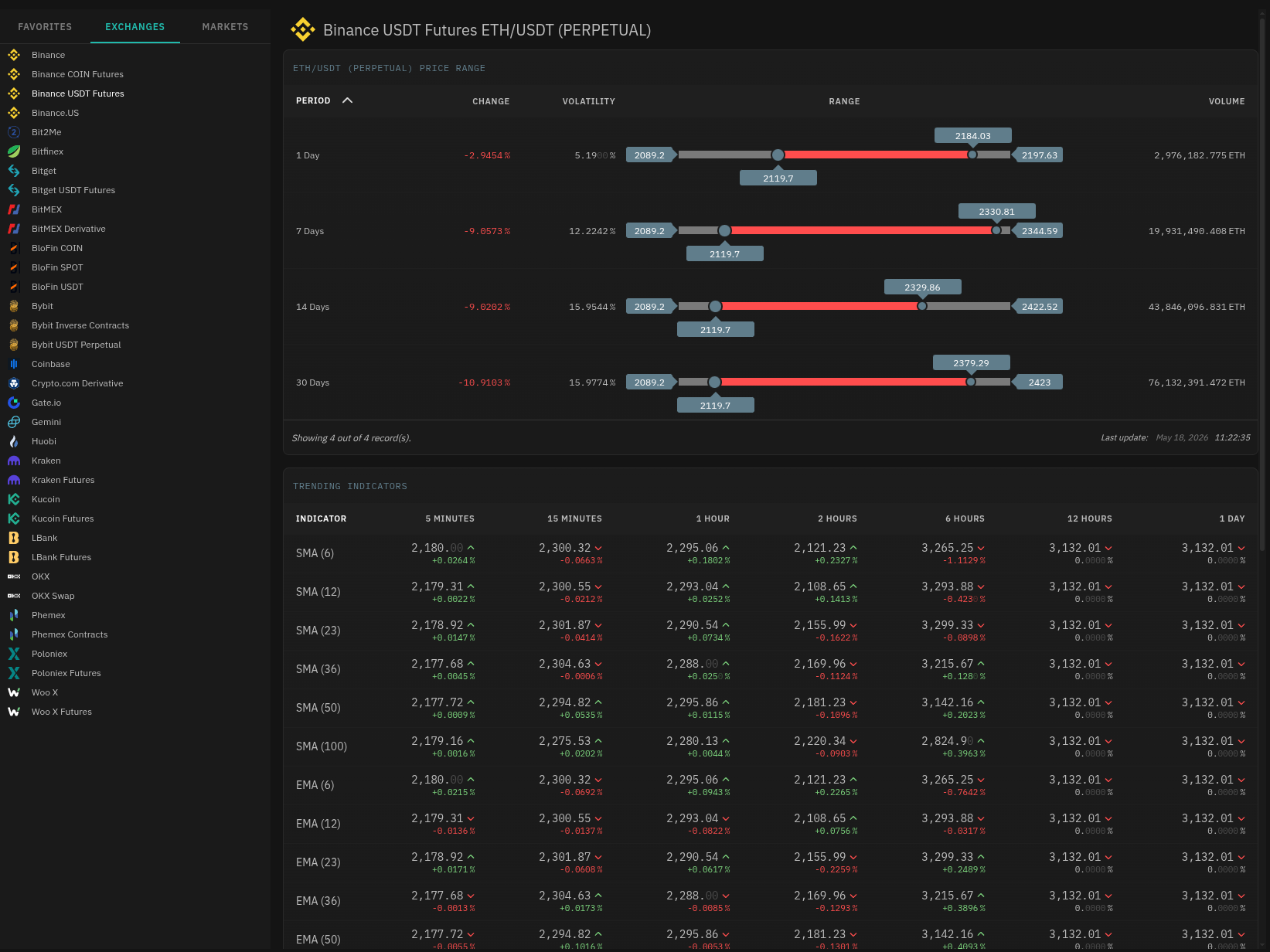 Market Intelligence is a separate tool under Tools in the sidebar. It provides a macro view of price range statistics and technical indicator trends for a selected exchange and market.
- Price Range — price change, volatility, and volume across time periods (1 Day, 7 Days, 14 Days, 30 Days)
- Trending Indicators — SMA and EMA values across multiple periods and timeframes, with directional arrows showing whether the indicator is trending up or down
- Sideways Indicators — RSI and CCI values across multiple periods and timeframes, with directional arrows showing whether the indicator is trending up or down
Use Market Explorer when choosing which exchange to trade a specific pair. Lower spreads and fees directly impact your bot's profitability.
Exchange Profiler
Exchange Profiler is the inverse of Market Explorer — instead of searching by market, you examine a specific exchange to understand its capabilities, fees, and supported order types.
All Exchanges View
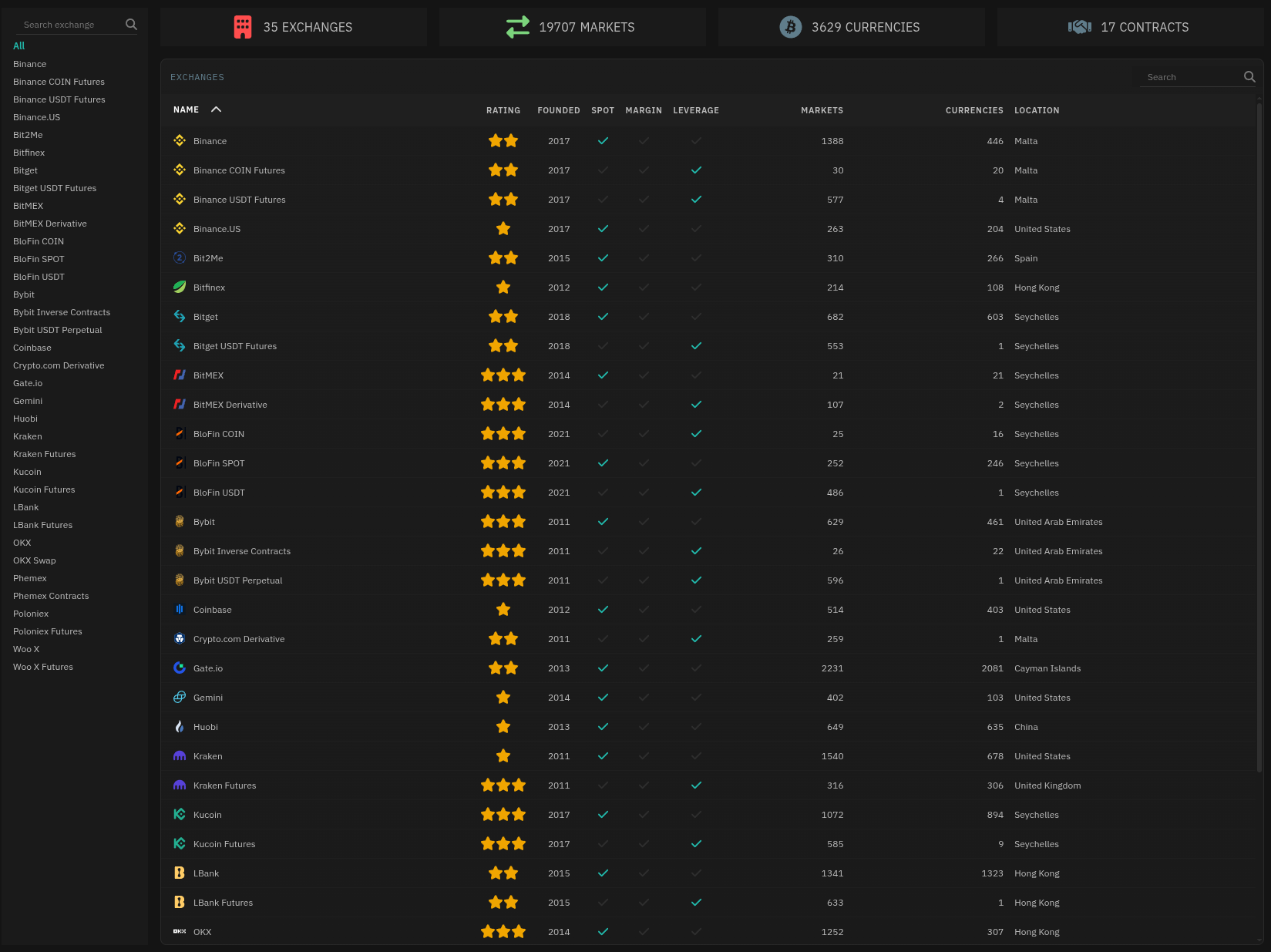 The default All tab lists every supported exchange in a comparison table:
| Column | Description |
|---|---|
| Name | Exchange name |
| Rating | Community rating (stars) |
| Founded Year | Year the exchange launched |
| Spot / Margin / Leverage | Trading types supported (checkmarks) |
| Markets | Total number of markets listed |
| Currencies | Total number of currencies supported |
| Location | Country of incorporation |
Sort and scroll through the table to compare exchanges at a glance. The header shows aggregate stats — total exchanges, markets, currencies, and contract types across the platform.
Exchange Detail View
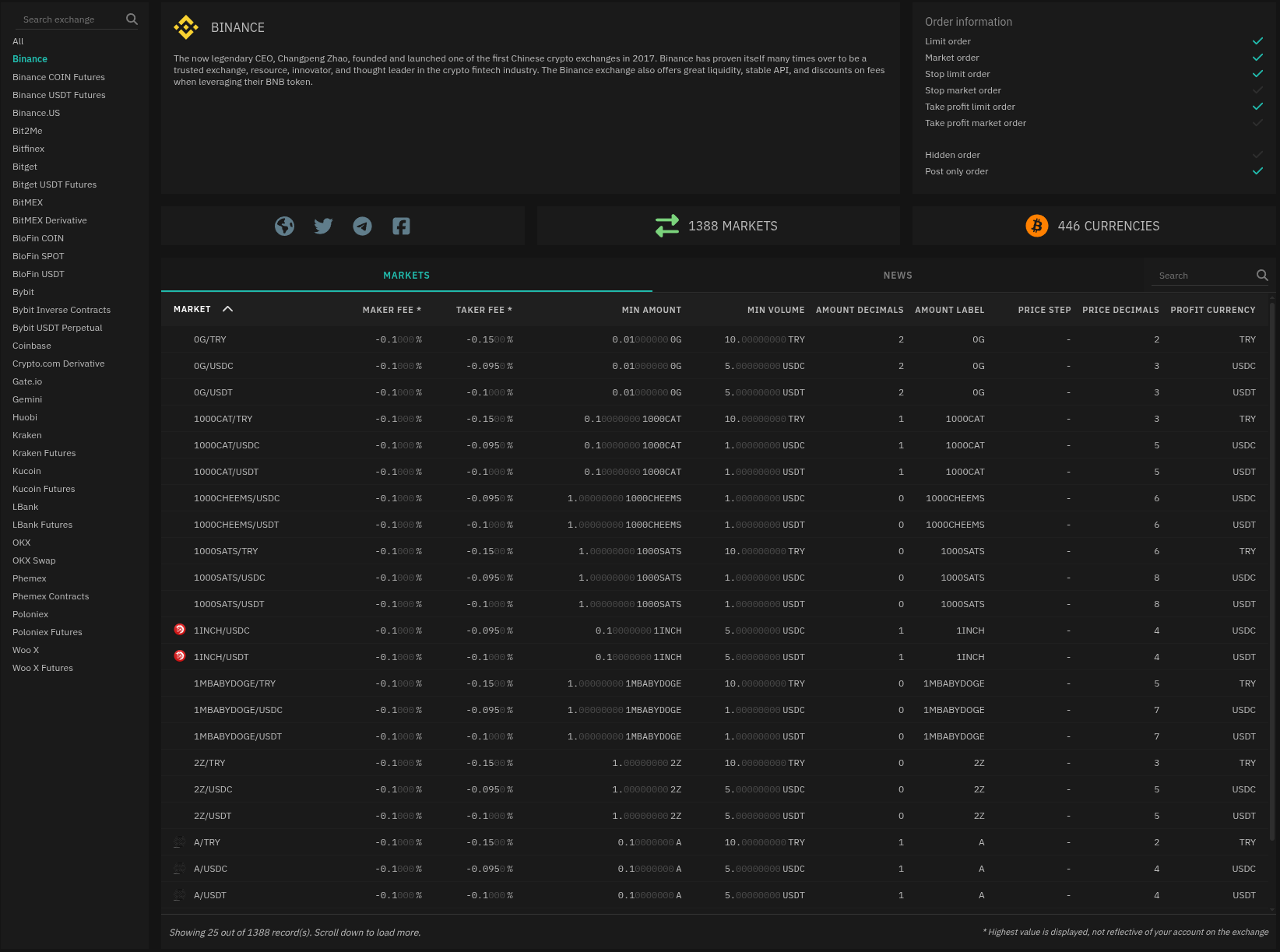 Click any exchange to open its detail view. This shows:
- Exchange description, founding year, and social links
- Total markets and currencies
- Supported order types with checkmarks for what the exchange supports (limit, market, stop limit, take profit limit, post only)
- Markets table with per-market fee structure, minimum order size, and decimal precision
The markets table is particularly useful for bot configuration:
| Column | What it tells you |
|---|---|
| Maker Fee / Taker Fee | Fee rates for each market (note: shows the highest rate; your actual rate depends on your account tier) |
| Min Amount / Min Volume | Minimum order size |
| Amount Decimals / Price Decimals | Precision limits — how many decimal places the exchange accepts |
Use the Exchange Profiler to verify an exchange supports the order types your strategy requires before you connect an account, or to research an exchange before opening a live account.